Available for
US Merchants using Google Merchant Center. Loyalty reward and tier limitations apply.
Goals and Outcomes
Yotpo integrates with Google Merchant Center to show your loyalty program on eligible Google placements, including Google free product listings. Once you connect, Yotpo automatically syncs your program details and member data to Google Merchant Center. Google Merchant Center then uses that data to show rewards, VIP benefits, and personalized savings to eligible members who are signed into their Google Account.
In this article, you’ll learn who’s eligible, what data is shared, and how to connect and manage the integration. Jump to connection setup steps.
Already using the Loyalty add-on in the Google Merchant Center?
You can still connect Yotpo. The integration adds member-level personalization and syncs your program automatically. If you use both, the data synced from Yotpo overrides any loyalty information you set up manually in Google Merchant Center. Learn more about loyalty programs in Google Merchant Center.
Who’s Eligible to Use the Integration
Merchant Requirements
Sell to customers in the United States
Have an active loyalty program with at least one eligible discount reward
Have a Google Merchant Center account
Note
If you also sell internationally, you can still use the integration. Loyalty benefits are currently shown to U.S. shoppers only.
Reward Requirements
Only eligible discount rewards are synced to Google Merchant Center. A reward is eligible if it:
Is a fixed amount or percentage discount
Is available for online purchases (check this in the reward’s settings)
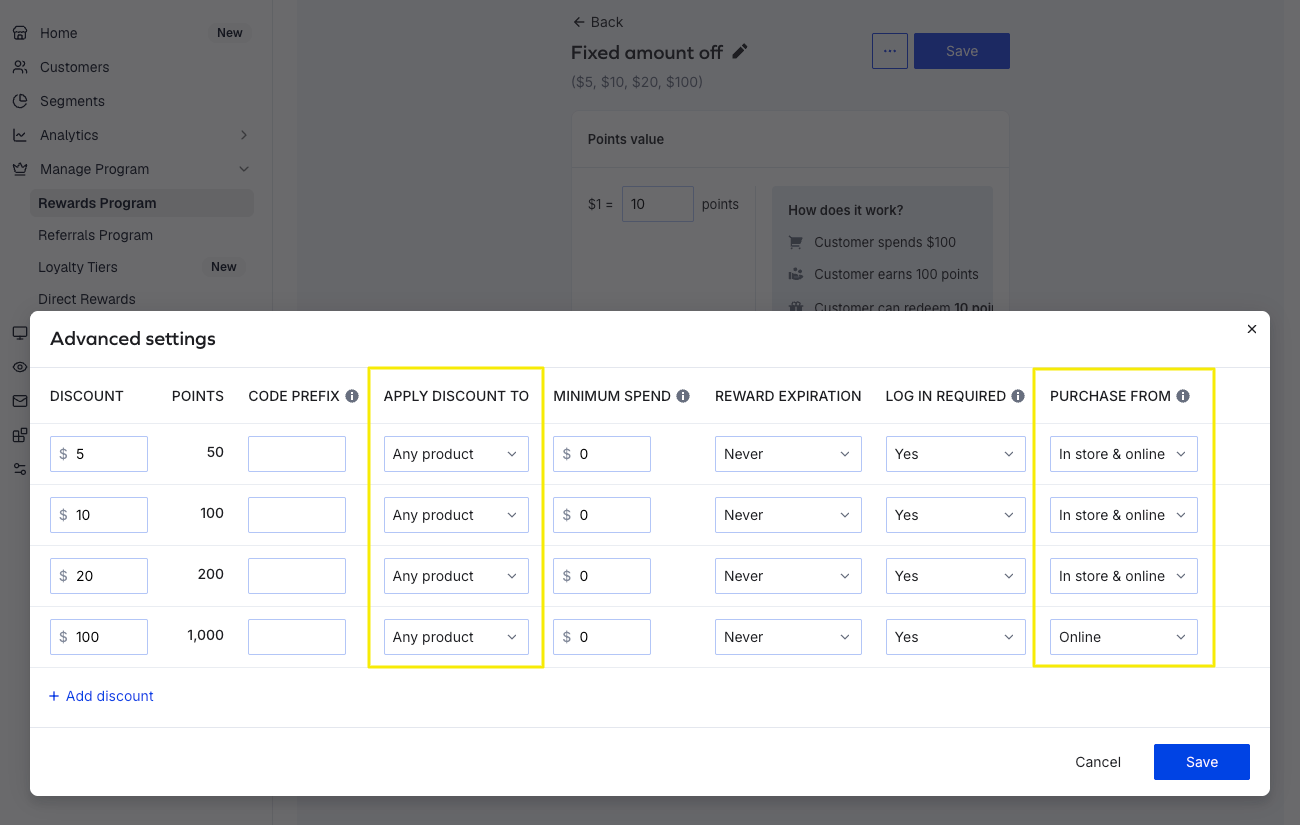

Applies to any product, with no restriction to specific products, variants, collections, or segments
You can still use the integration if your program includes other reward types. They just won’t be synced.
VIP/Loyalty Tier Requirements
Supported:
Legacy VIP tiers and the new Loyalty Tiers
Programs without VIP or Loyalty Tiers
Points earned and Number of purchases entry criteria, with any tier term (Calendar year, Rolling year, Lifetime)
Amount spent entry criteria with a Calendar year or Rolling year tier term
Not supported:
Amount spent entry criteria with a Lifetime tier term
Tiers based on customer tags or other qualification methods not based on spend
Tiers with multiple entry criteria
Integration Overview
How It Works
Yotpo syncs your loyalty program and member data to Google Merchant Center, which enables you to show relevant loyalty benefits on supported Google surfaces, including Google free listings.
To recognize a member, Google Merchant Center matches the email address on the shopper’s Google Account with their loyalty profile in your store. Personalized benefits only appear for shoppers who use the same email address for both.
Information Shared in the Integration
Loyalty Program Information
Eligible discount rewards
VIP/Loyalty tier names
Tier benefits and rules (e.g., term and threshold type)
Points for Purchase earning rules
Loyalty program name and sign-up URL
Store country
Customer Eligibility Information
Email address (hashed before it’s shared with Google Merchant Center)
Current VIP/Loyalty tier
Current points balance
Google Merchant Center combines this data with your program setup to decide which rewards and VIP benefits each member is eligible for.
Connecting Yotpo Loyalty & Referrals to Google Merchant Center
From your Yotpo Loyalty admin, go to Integrations.
Click the Google Merchant Center tile.
Follow the connection steps and grant the required permissions.
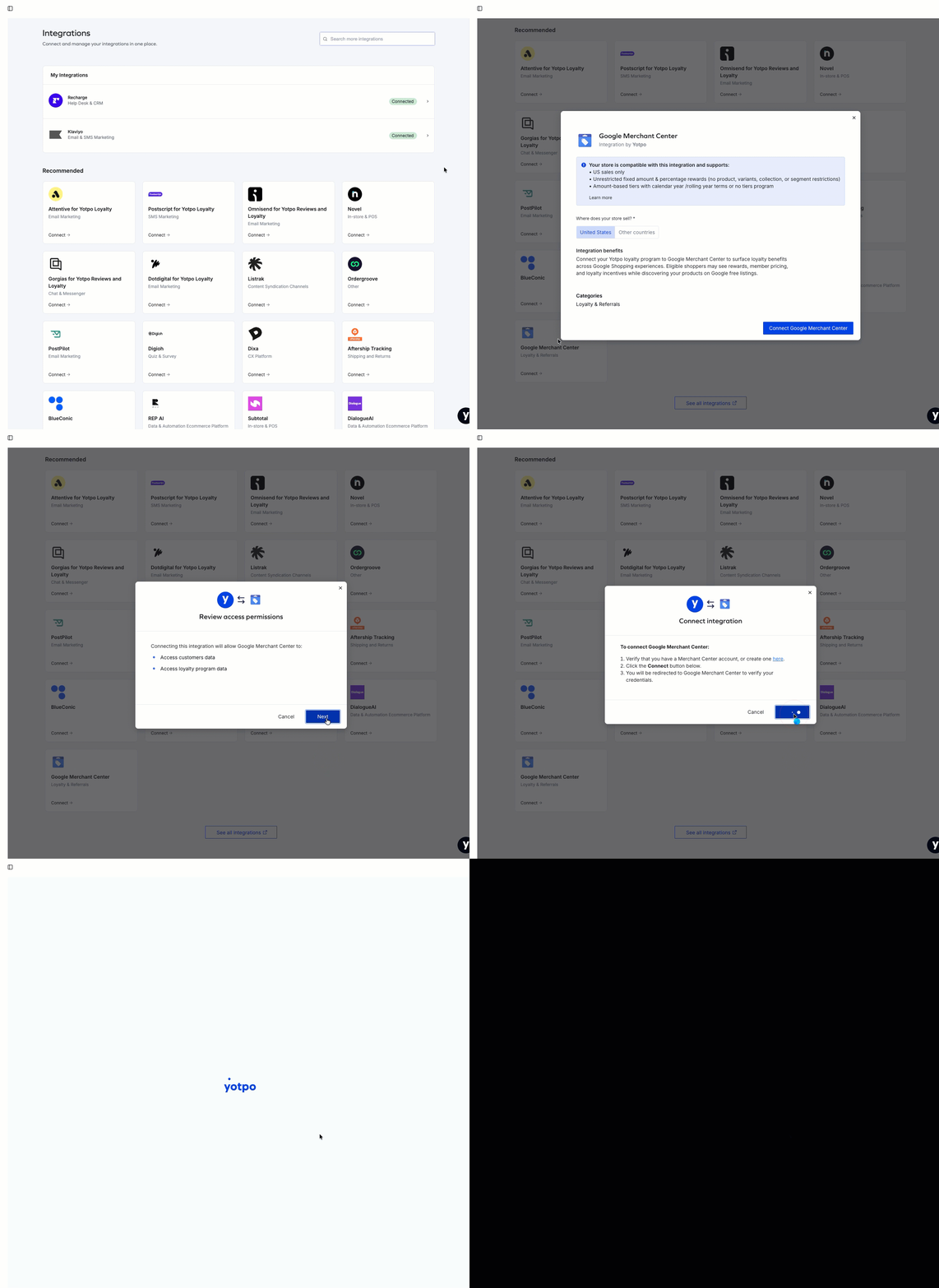
You’re redirected to Google Merchant Center to complete the setup. If you have more than one Google Merchant Center account, select the right one from the dropdown.
Once connected, your loyalty program and eligible customer data will begin syncing automatically.
Managing Your Loyalty Program Messaging in Yotpo
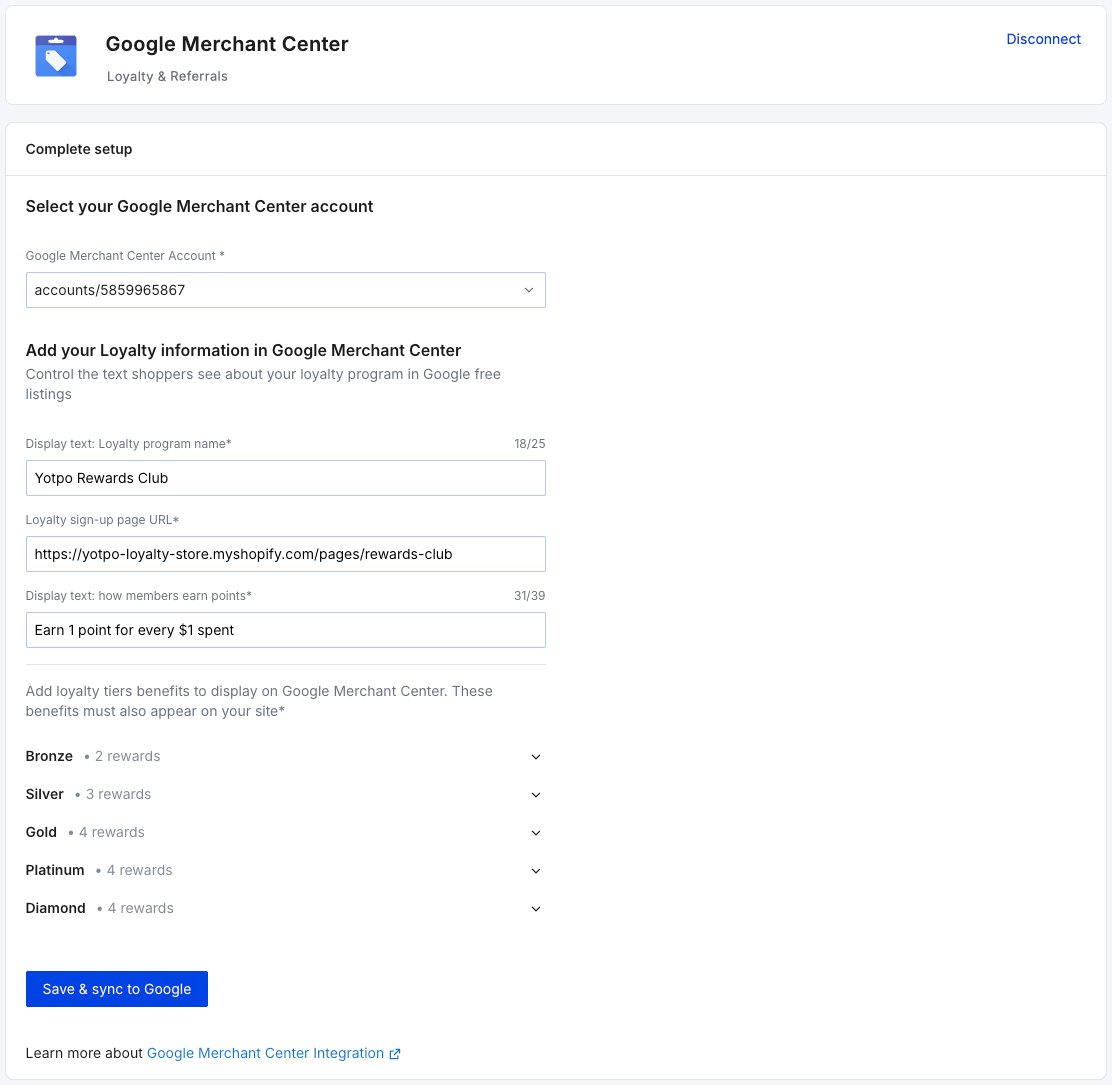
After you connect, you can customize how your program is presented on Google surfaces from the Google Merchant Center integration page in your Yotpo Loyalty admin. All fields are optional. If you leave them as they are, Yotpo uses default values.
Loyalty program name
The name of your loyalty program as it may appear in your Google Brand Profile.
Loyalty sign-up URL
Where shoppers go to learn about your program or join it. The link appears in the loyalty section of your Google Brand Profile.
By default, Yotpo uses the following URL:
<your-merchant-domain>/pages/rewards
If your program uses a different enrollment or Rewards Page, update this URL.
Loyalty program CTA
A short description of how members earn points.
Program-level benefits
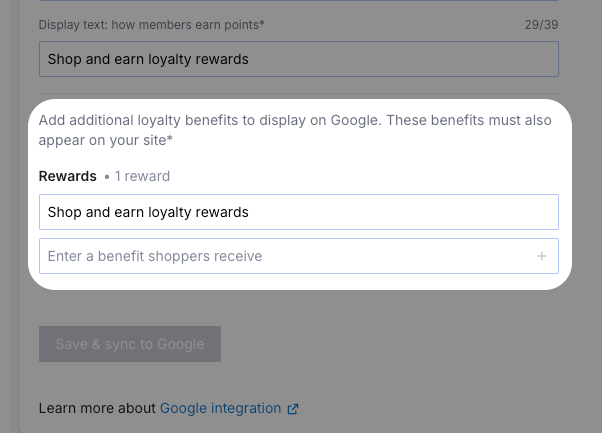
Note
These fields will only appear if you don’t have an active Loyalty Tiers program.
A short description of a benefit that applies to all members. Yotpo generates a default based on your earning rules, and you can edit it to match your brand’s voice. For example:
Earn 1 point for every $1 spent
Earn points on every purchase
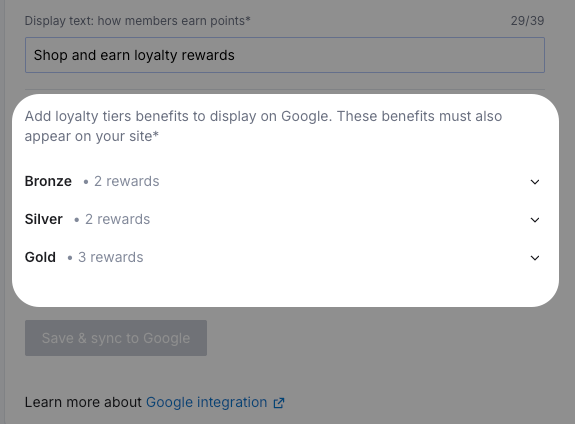
Tier benefits
Note
These fields only appear if you have an active Loyalty Tiers program, and only for supported tiers (see VIP/Loyalty Tier Requirements above)
A description of each tier’s perks. You can include benefits that aren’t managed in your Yotpo admin. For example:
Earn 2 points for every $1 spent
Free shipping
Birthday rewards
Early access to new products
How Your Program Appears on Google Surfaces
Google Merchant Center decides how and where loyalty information is displayed. In general:
All shoppers may see your program details and tier benefits in your Google Brand Profile.
Eligible members signed into their Google Account may also see the rewards they can redeem and personalized savings on supported product listings.
Important
If you have an unrestricted site-wide promotion (with no minimum spend or audience requirement), it will be displayed to shoppers instead of personalized savings.
Disconnecting Yotpo Loyalty & Referrals from Google Merchant Center
To disconnect your Yotpo loyalty account from Google and stop the integration:
From your Yotpo Loyalty admin, go to Integrations.
Click Google Merchant Center from the list of active integrations at the top.
On the Google Integration page, click Disconnect.
Disconnecting doesn’t affect other Yotpo products connected to Google.