Goals and Outcomes

Double Points is a loyalty campaign that lets you run time-bound points multiplier promotions. Choose a multiplier, schedule your campaign, and target specific customer segments or products to encourage purchases during key shopping periods.
You can also track campaign performance through built-in reporting, helping you understand how your promotions perform and plan future campaigns.
With Double Points Campaigns, you can set any multiplier between 1x and 100x, including fractional values like 1.5x and 2.25x, to fit your campaign goals.
In this article, you’ll learn how to create, schedule, and manage Double Points Campaigns.
Double Points Campaigns Overview
Each Double Points Campaign is attached to one of your existing Points for Purchases earning rules, which you select during setup. While the campaign is active, qualifying orders earn the rule's base points plus bonus points based on the multiplier you set. Optionally, you can narrow the offer to specific customer segments or products.
Once it starts, you can track results in the Campaigns table.
Note
Double Points Campaigns apply only to points earned from purchases. Other earning actions, such as sign-ups, reviews, and birthdays, are not included in the campaign.
How Points Are Calculated
During the campaign, each qualifying order earns:
Base points from the base earning rule.
Bonus points: the base points for the part of the order that matches the campaign's filters, multiplied by (multiplier − 1) and rounded down to the nearest whole number.
If the customer is in a Loyalty tier with a points multiplier, the tier multiplier then applies on top of the total. Tier multipliers stack with the campaign multiplier; they don't replace it.
For example, your base earning rule awards 1 point per $1 spent and you run a 2x campaign. Maya, a member of your Gold tier (1.5x points), places a $50 order. She earns 50 base points and 50 bonus points, making for a total of 100 bonus points. Her tier multiplier then brings the total to 150 points.
Other examples, all based on a rule that awards 1 point per $1:
Campaign | Order | Points earned |
|---|---|---|
2x, no filters | $50 | 100 (50 base + 50 bonus) |
1.5x, no filters | $33 | 49 (33 base + 16 bonus; 16.5 is rounded down) |
2x, limited to specific products | $100 cart, $40 of it on campaign products | 140 (100 base + 40 bonus) |
2x, customer in a Loyalty tier with 1.6x points | $50 | 160 ((50 base + 50 bonus) × 1.6) |
Use Cases
Drive purchases during key shopping moments: Run limited-time double or triple points promotions around holidays, seasonal events, or your own sales calendar.
Promote priority products: Offer extra points on specific products or product collections using product tags.
Re-engage selected customers: Create exclusive offers for VIP members or other customer segments.
Offer additional value without discounts: Give shoppers more loyalty points while keeping product prices unchanged.
Tip
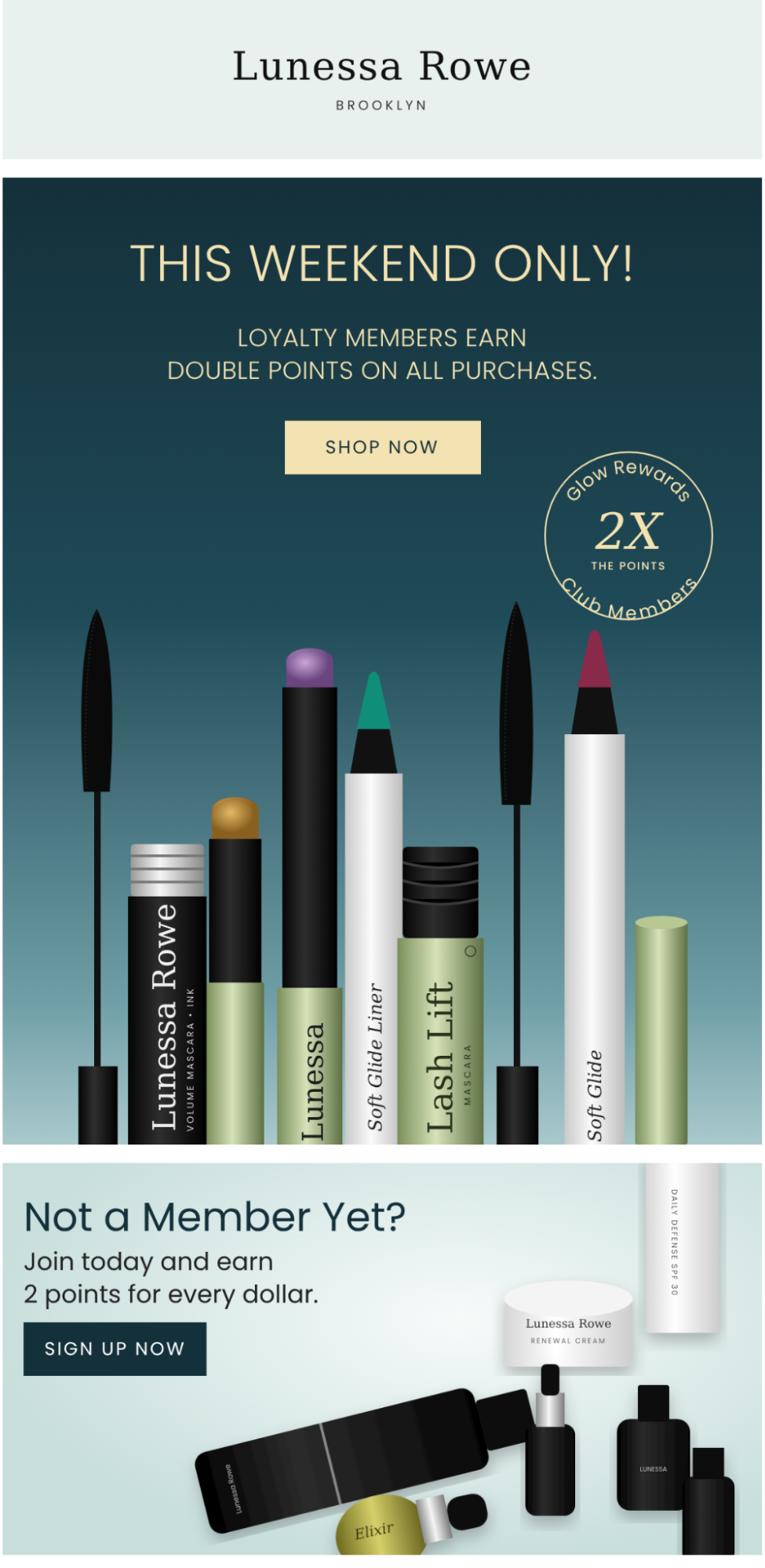
Don’t forget to send an email to your shoppers with all the details to create more awareness and drive urgency.
Good to Know
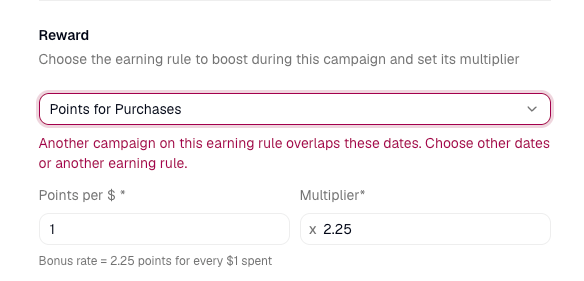
One active campaign per earning rule: You can't run overlapping campaigns on the same rule, but you can schedule them back-to-back. To run campaigns in parallel for different audiences, create a separate earning rule for each.
Active campaigns can't be edited: To make changes, stop the campaign and create a new one. The campaign can be edited only before it starts.
Earning rule changes apply to campaigns: Edits to the base earning rule affect any scheduled or active campaign attached to it. Avoid editing the rule while a campaign is scheduled or running.
Promote your campaign: Widgets don't show the multiplied rate, so it’s best to promote the campaign through your own channels.
Product tags with commas: Tags that contain commas aren't supported in product targeting.
Creating a Double Points Campaign
Before you create a Double Points campaign
Before you begin, make sure you have:
At least one active Points for Purchases earning rule that awards a fixed number of points per $1 spent. The campaign multiplies this rule and can't run on its own.
(Optional) The customer segments you want to target, already created in Yotpo Segments. If a segment doesn't exist yet, create it there first.
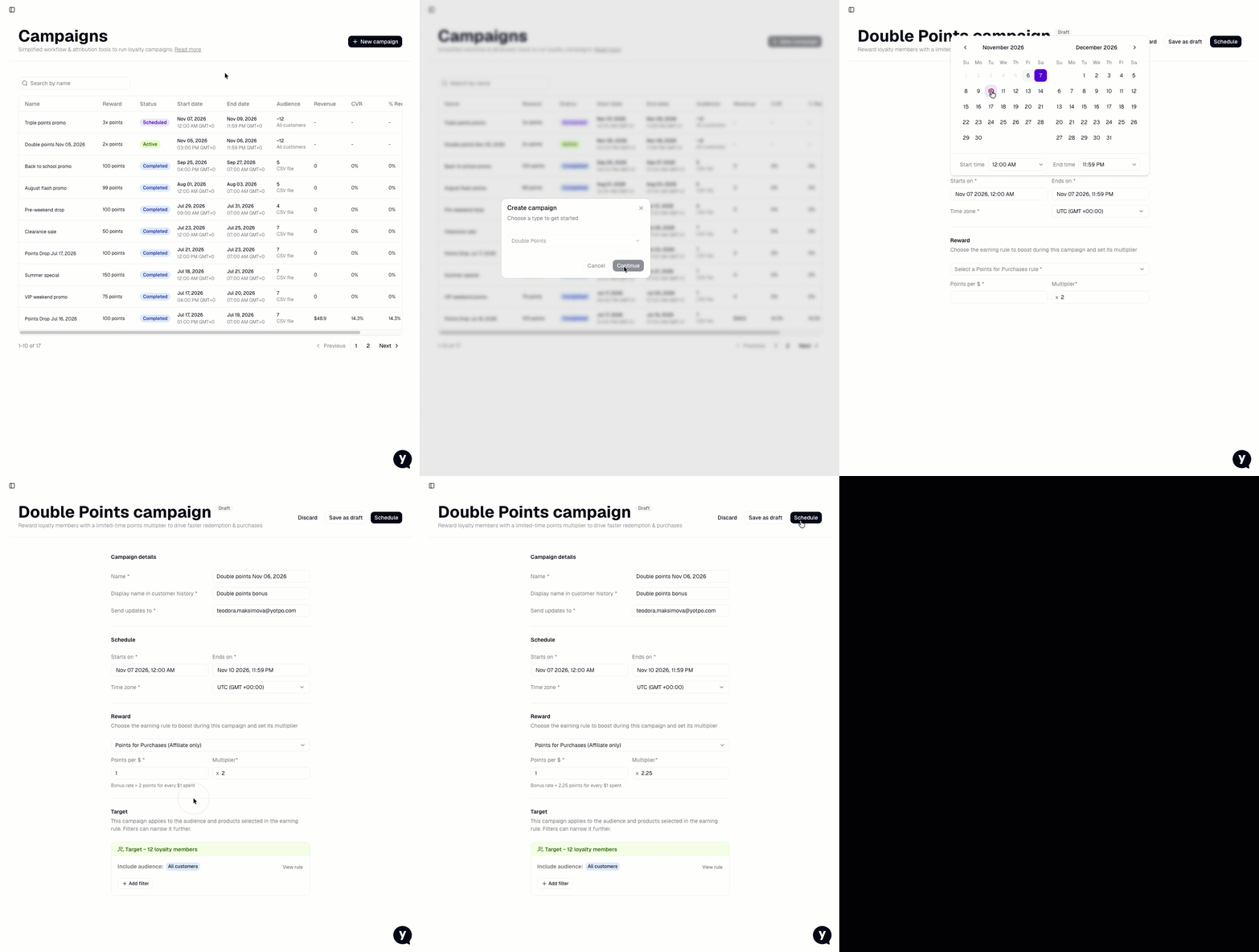
To create a Double Points Campaign:
From your Yotpo Loyalty admin, go to Manage Program > Campaigns.
Click New campaign, select Double Points, and click Continue.
Enter a Campaign name. This name is internal and appears only in the Campaigns table.
Add a display name that will appear in customers’ reward history.
Set the email address that will receive campaign updates.
Set the campaign's start and end date and time in the store’s local time zone. Learn more about scheduling a Double Points Campaign.
Under Reward, select the Points for Purchases earning rule you want to multiply. Each rule is listed as "N points for every $1 spent; audience," and you can search by rule name. To review the rule's settings, click View rule.
Enter a Multiplier from 1 to 100, with up to 2 decimal places (for example, 1.5, 2, or 3.35). The builder shows the resulting bonus rate, for example, "Bonus rate = 2 points for every $1 spent."
(Optional) Limit the campaign to specific customer segments or products. Learn more about campaign targeting.
Click Schedule, review the reminders in the confirmation dialog, and confirm.
Tip
Not ready to schedule yet? Click Save as draft at any point after entering a campaign name. Drafts never award points.
Targeting a Campaign
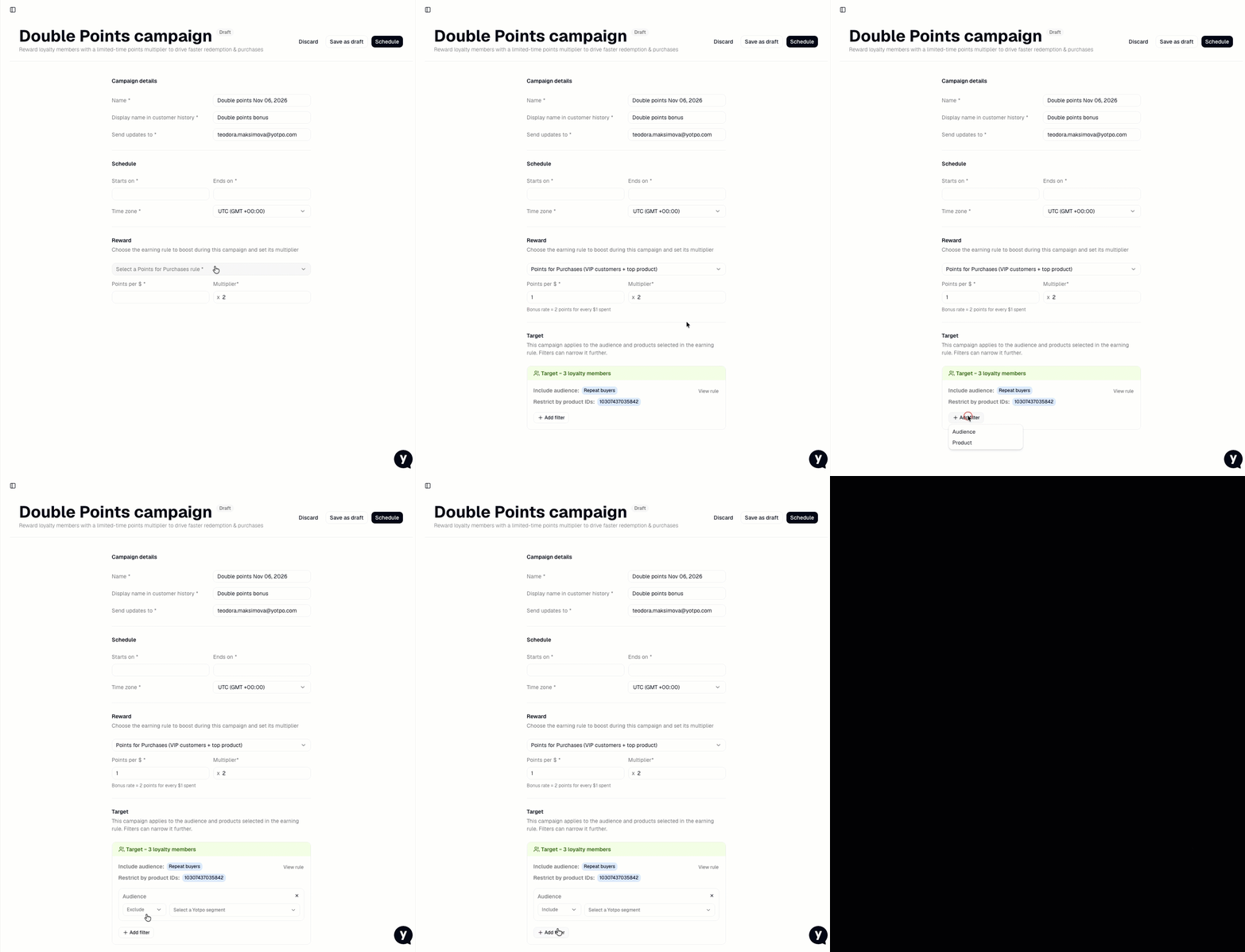
Campaign filters can only narrow who and what the base earning rule already covers; they can't widen it. A customer earns bonus points only if their order qualifies for both the earning rule and the campaign.
For example, your base earning rule covers all loyalty members, and you target the campaign to your "VIP customers" segment. Only members of that segment earn bonus points. Everyone else still earns the rule's base points.
Customer segments
Include or exclude one or more segments from Yotpo Segments. You can't include and exclude segments in the same campaign.
If you don't select a segment, the campaign covers all loyalty members the earning rule applies to.
The builder shows an estimated audience size, for example, "Target up to 1,250."
Products
Limit bonus points to specific products, selected by product or by product tag.
Items in the same cart that don't match still earn base points, but no bonus.
You can include products only; excluding products isn't supported.
Order tags and earning rule restrictions
Any restrictions set on the base earning rule (products, order tags, and audience) are shown read-only in the builder and always apply. You can't add order-tag filters to the campaign itself. To give bonus points only on tagged orders, create a dedicated earning rule with that order-tag restriction and attach the campaign to it.
Scheduling a Campaign
By default, campaign dates and times follow the time zone in your Yotpo store settings, but you can set a different time zone for each campaign.
Start: Any date and time in the future. There's no minimum lead time.
End: Must be after the start date and time. Once it passes, orders no longer earn bonus points.
Campaign Statuses
A campaign moves from Draft to Scheduled to Active to Completed. You can edit it only until it starts.
Status | What it means | Edit | Stop or cancel | Delete |
|---|---|---|---|---|
Draft | Saved but not scheduled. Never awards points. | Yes | - | Yes |
Scheduled | Waiting for its start time. | Yes | Yes | Yes |
Active | Running. Qualifying orders earn bonus points. | No | Yes | No |
Completed | The end time has passed. Results stay in the Campaigns table. | No | - | No |
Important
Stopping an active campaign ends bonus points from that moment on. Bonus points customers have already earned stay in their balance and can't be reversed.
Campaign Performance Metrics
Each Double Points Campaign shows its results in the Campaigns table. Final results are available up to 24 hours after the campaign ends.
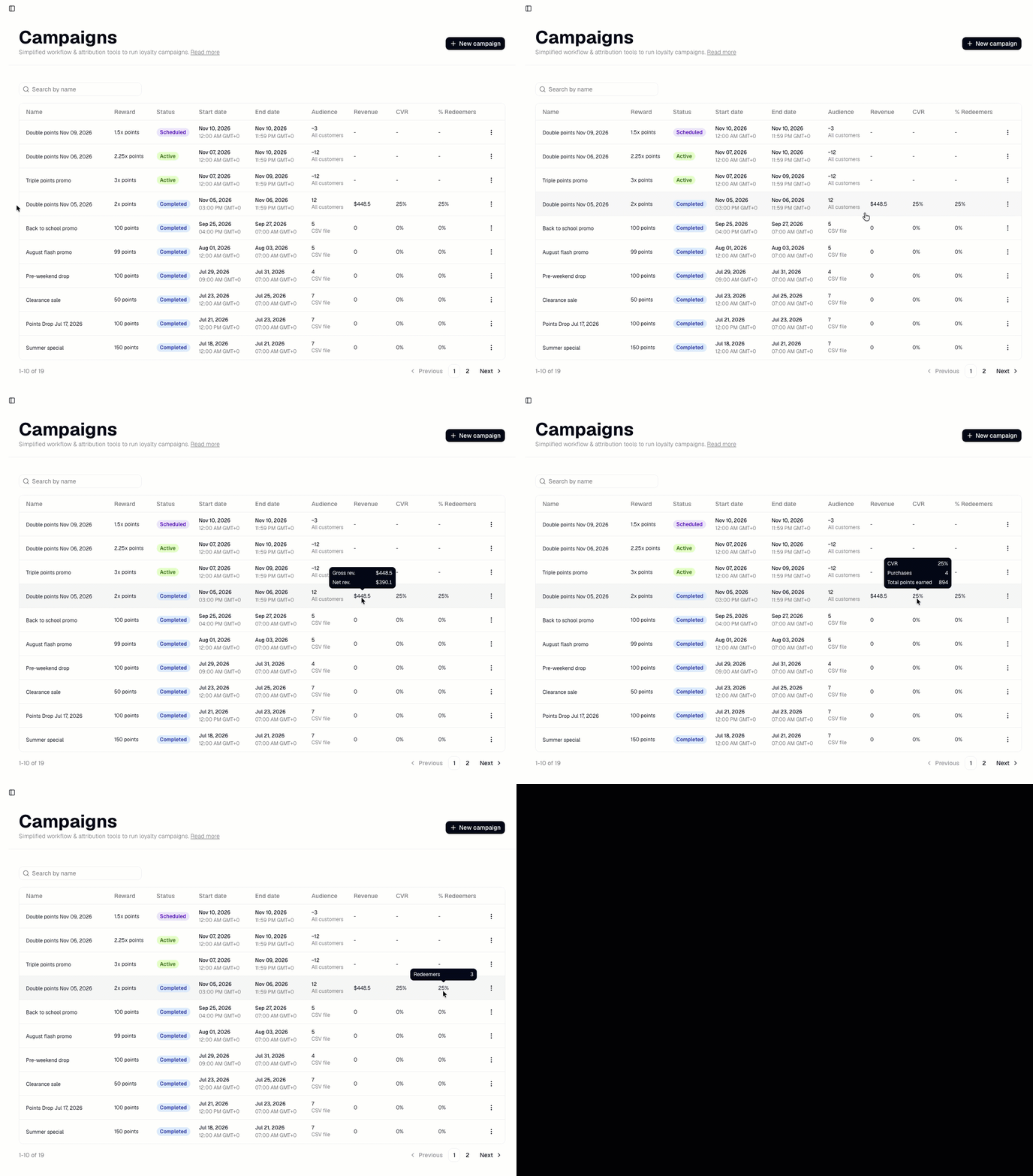
Audience
The estimated number of unique customers eligible for the offer, not just customers who earned bonus points. If you select customer segments, the audience is based on those segments. If you don't select segments, it includes all loyalty members covered by the earning rule.
Segments update over time, so the final audience is calculated after the campaign ends.
Revenue
Total revenue generated by the audience during the campaign period.
Conversion rate (CVR)
The percentage of customers in the campaign audience who made a purchase during the campaign period. On hover, the number of purchases and total points earned for the campaign are also displayed.
Total points earned
The total number of points the audience earned during the campaign period.
% Redeemers
The percentage and total number of customers in the audience who made a purchase and redeemed a reward during the campaign period.